F5 and Hashicorp Basics > F5 Automation With Terraform > Lab 3 - Use Terraform and AS3 to enable DevSecOps Source |
Deploy AS3 WAF Policy
Confirm BIG-IP is not configured
- Explore BIG-IP GUI Local Traffic -> Network Map to validate tenant_02 app services does not exist
Create main.tf to use terraform bigip provider
- Open client server vscode termninal
mkdir ~/projects/lab3cd ~/projects/lab3touch main.tf- use vscode to add the following code to main.tf
terraform {
  required_providers {
    bigip = {
      source = "F5Networks/bigip"
    }
  }
}

provider "bigip" {
    address = var.address
    username = var.username
    password = var.password
}

resource "bigip_as3"  "tenant02_app3" {
   as3_json = "${file("app3.json")}"
}
Create variables.tf
touch variables.tf- use vscode to add the following code to variables.tf
variable "address" {}
variable "username" {}
variable "password" {}
Create terraform.tfvars
touch terraform.tfvars- use vscode to add the following code to terraform.tfvars
address = "10.1.1.6"
username = "admin"
password = "F5d3vops$"
Create app3.json
touch app3.json- use vscode to add the following code to app3.json
{
   "class": "AS3",
   "action": "deploy",
   "persist": true,
   "declaration": {
      "class": "ADC",
      "schemaVersion": "3.0.0",
      "id": "tenant2",
      "label": "Sample 4",
      "remark": "HTTPS with sslbridging and external WAF",
      "Common": {
         "class": "Tenant",
         "Shared": {
             "class": "Application",
             "template": "shared",
             "virt_addr_10_1_20_20": {
                 "class": "Service_Address",
                 "virtualAddress": "10.1.20.20"
             }
         }
     },
      "tenant_02": {
      "class": "Tenant",
      "App_3": {
            "class": "Application",
            "template": "https",
            "serviceMain": {
            "class": "Service_HTTPS",
            "virtualAddresses": [
               {"use": "/Common/Shared/virt_addr_10_1_20_20"}
           ],
            "pool": "juice_pool",
            "policyWAF": {"use": "juice_awaf"},
            "securityLogProfiles": [{ "use": "secLogLocal"}],
            "serverTLS": "webtls"
            },
            "juice_pool": {
            "class": "Pool",
            "monitors": [
            "http"
            ],
            "members": [{
               "shareNodes": true,
               "servicePort": 3000,
               "serverAddresses": [
               "10.1.10.5"
               ]
            }]
            },
            "webtls": {
            "class": "TLS_Server",
            "certificates": [{
               "certificate": "webcert"
            }]
            },
            "webcert": {
            "class": "Certificate",
            "remark": "using default",
            "certificate": {"bigip":"/Common/default.crt"},
            "privateKey": {"bigip":"/Common/default.key"}
            },
            "juice_awaf": {
               "class": "WAF_Policy",
               "ignoreChanges": false,
               "url": "https://raw.githubusercontent.com/gotspam/f5-waf-aws/master/basicwaf.xml"
            },
            "secLogLocal": {
               "class": "Security_Log_Profile",
               "application": {
                   "storageFilter": {
                       "logicalOperation": "and",
                       "requestType": "all",
                       "responseCodes": [
                           "100",
                           "200",
                           "300",
                           "400"
                       ],
                       "protocols": [
                           "https",
                           "ws",
                           "http"
                       ],
                       "httpMethods": [
                           "ACL",
                           "GET",
                           "POLL",
                           "POST"
                       ]
                   }
               }
            }
         }
      }
   }
}
- Explore the basicwaf.xml policy used for juice_awaf

Deploy Tenant02 App3 services
terraform initterraform planterraform apply -auto-approve
Confirm BIG-IP is now configured
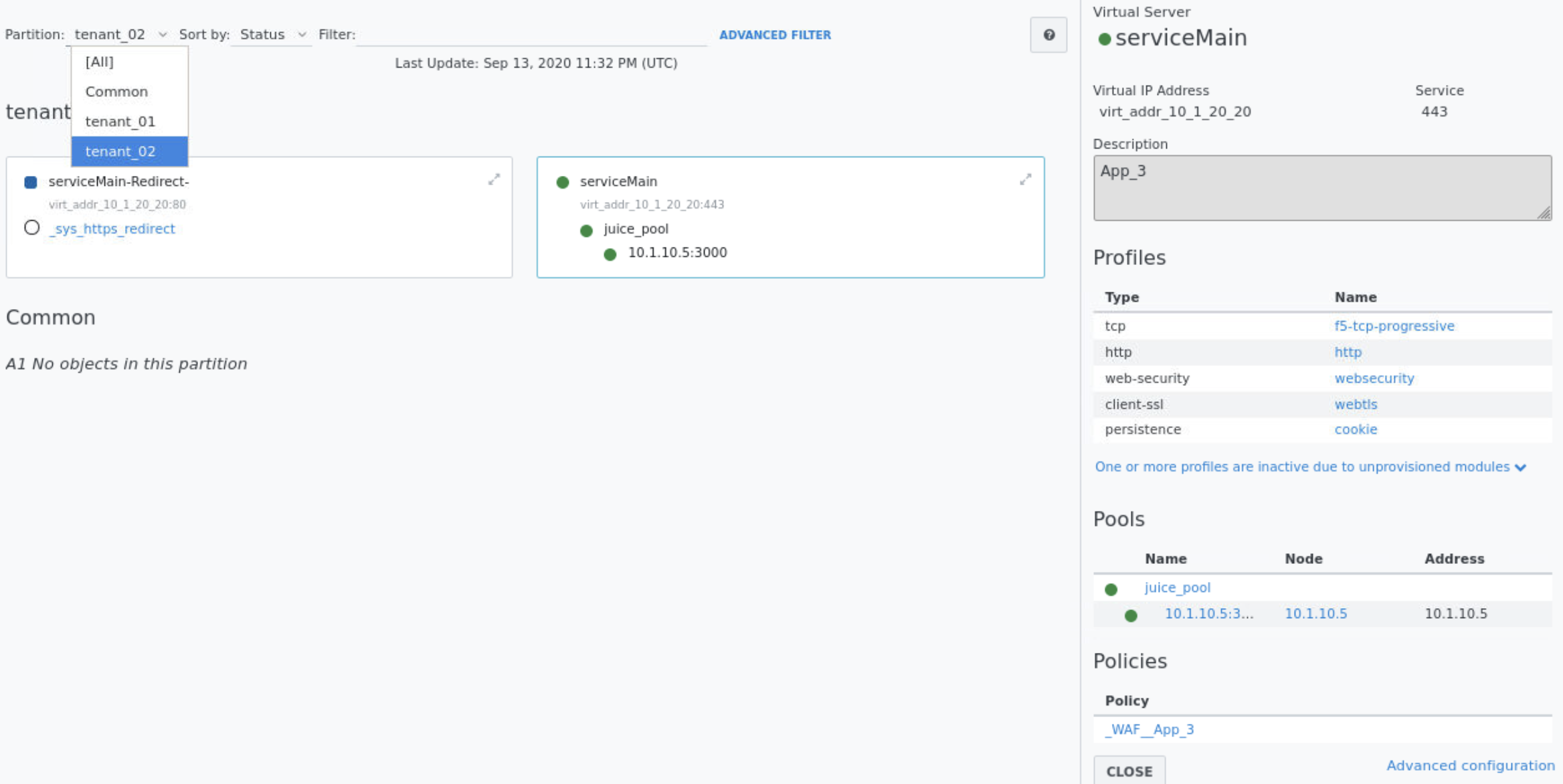
- Explore BIG-IP GUI Local Traffic -> Network Map to view tenant02 serviceMain services

- Click serviceMain to view details of tenant02 serviceMain services and note a WAF Policy associated
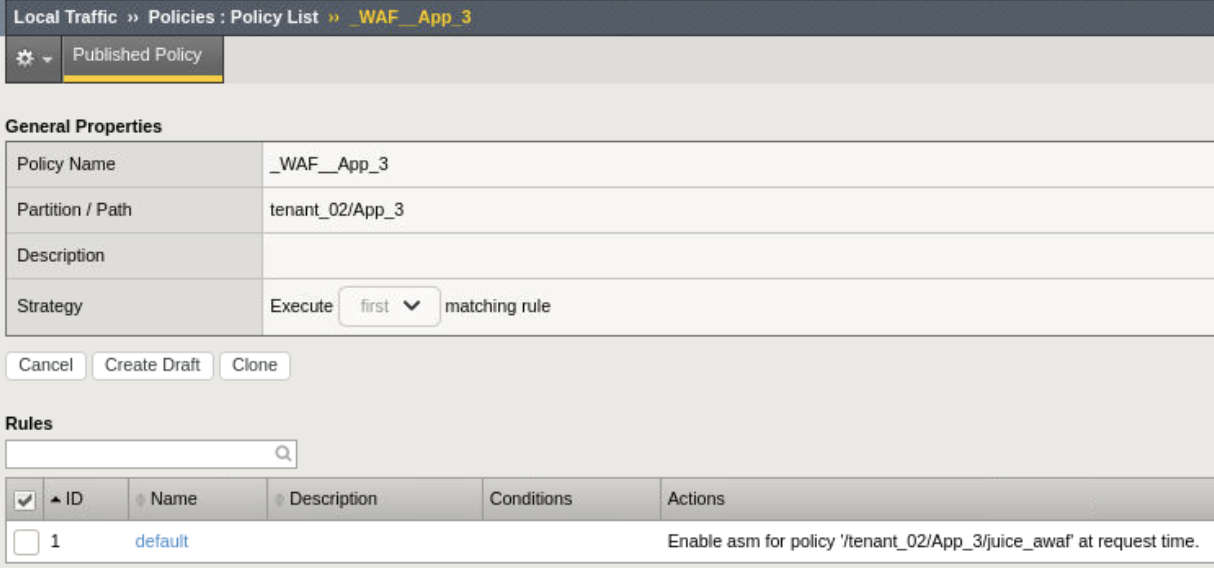
- Click _WAF_App_3 to confirm juice_awaf policy associated with App_3
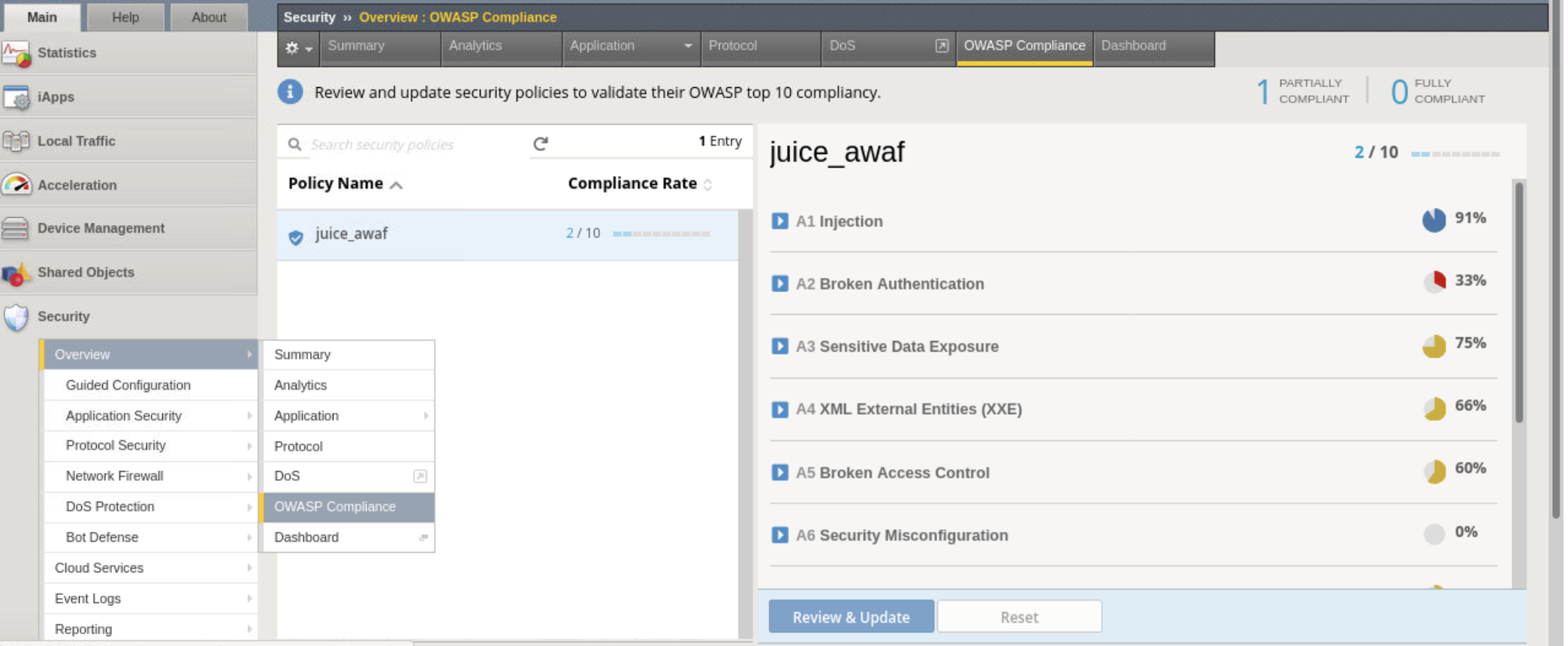
- Explore BIG-IP GUI Security -> Overview -> OWASP Compliance then click juice_awaf to view dashboard
Note
Basic waf policy only covers a subset of the OWASP Top 10 vulnerabilities. Additional configuration is required to acheive greater OWASP compliance.
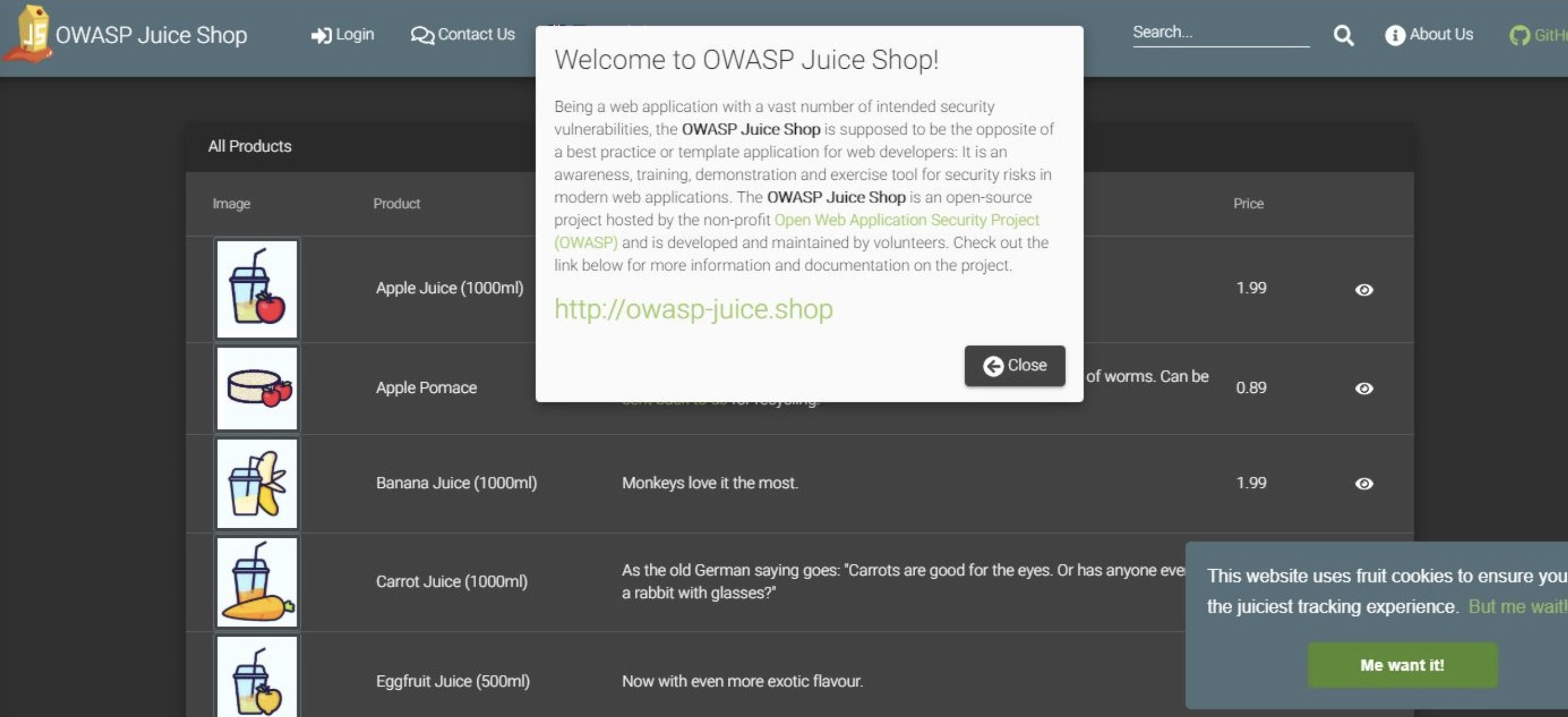
Confirm serviceMain is serving up juiceshop app
- Open new tab on client server Firebox Browser
- Browse to bigip (https://10.1.20.20)
- Click advanced and accept risk
Test sql injection attack
- Click Account -> Login and enter
'or 1==1 --for email address
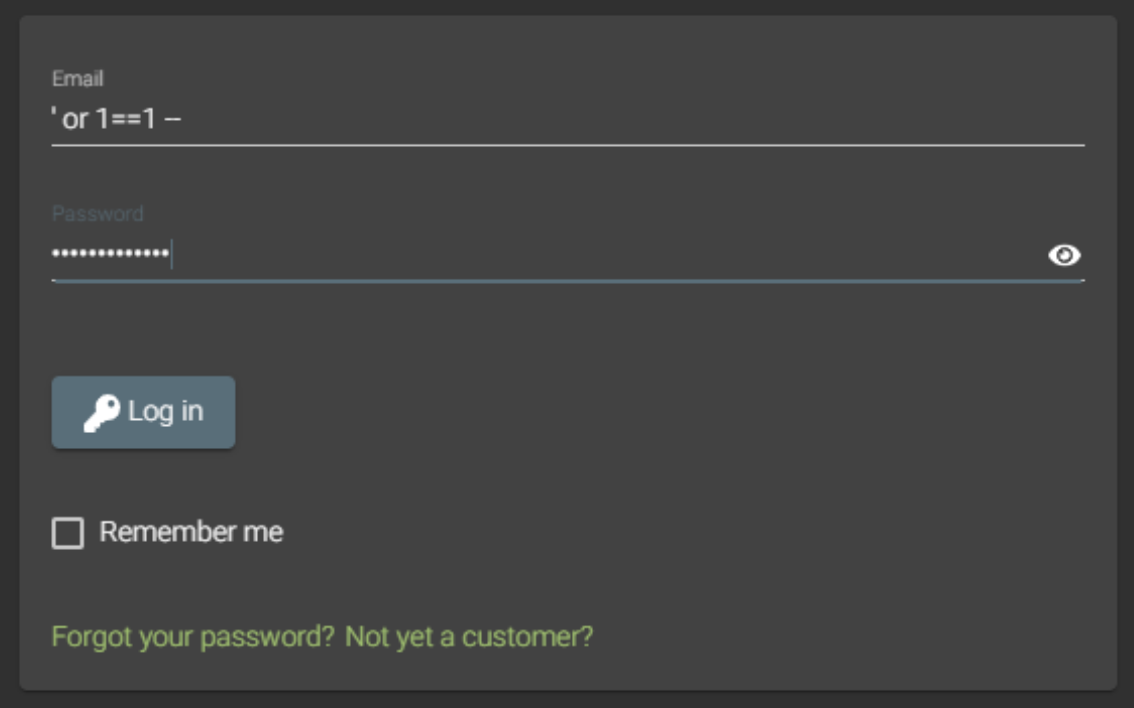
- You should receive an error which is typical of poor error handling but at least login was protected.
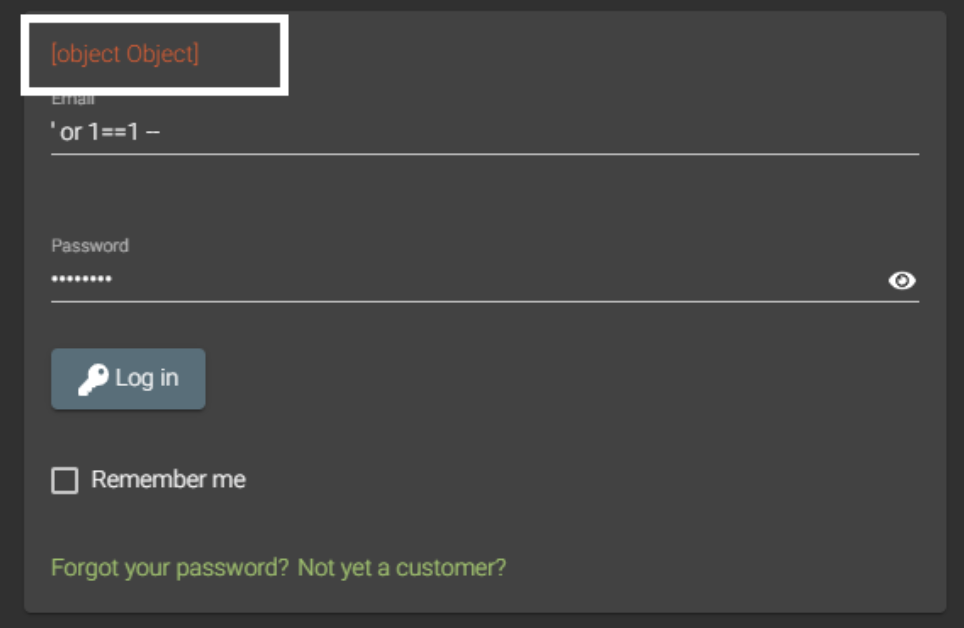
- Click Account -> Login and enter
Test sql injection on unprotected juiceshop (http://10.1.20.20:3000)
- Repeat same steps as previous attack
- You should receive a message that you’ve successfully solved a challenge
Note
Bonus lab - Replace waf policy with a different external policy. I recommend creating a new app3a.json and policy.
Hint
Follow the github trail and examine the BIG-IP GUI Security -> Overview -> OWASP Compliance after applying. (https://raw.githubusercontent.com/gotspam/f5-lab-days-hashi-basics/master/assets/lab3/owaspwaf.xml)